Beck

Farmhouse Fonts

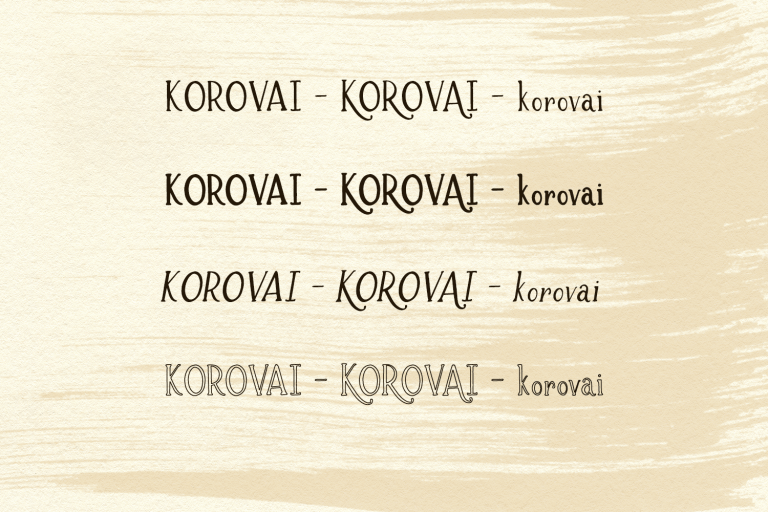
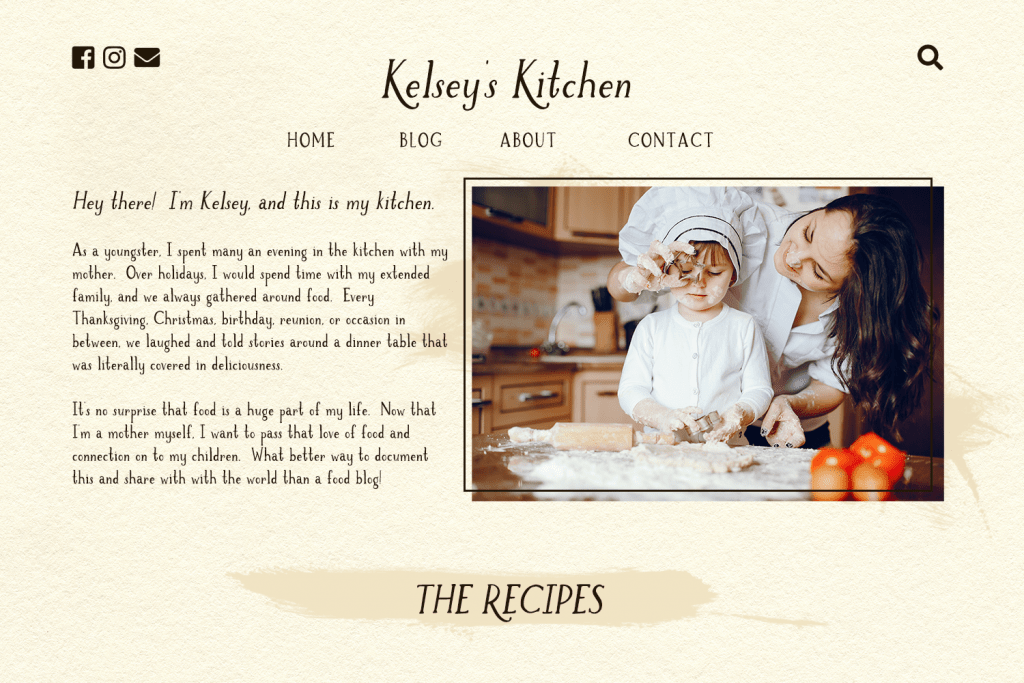
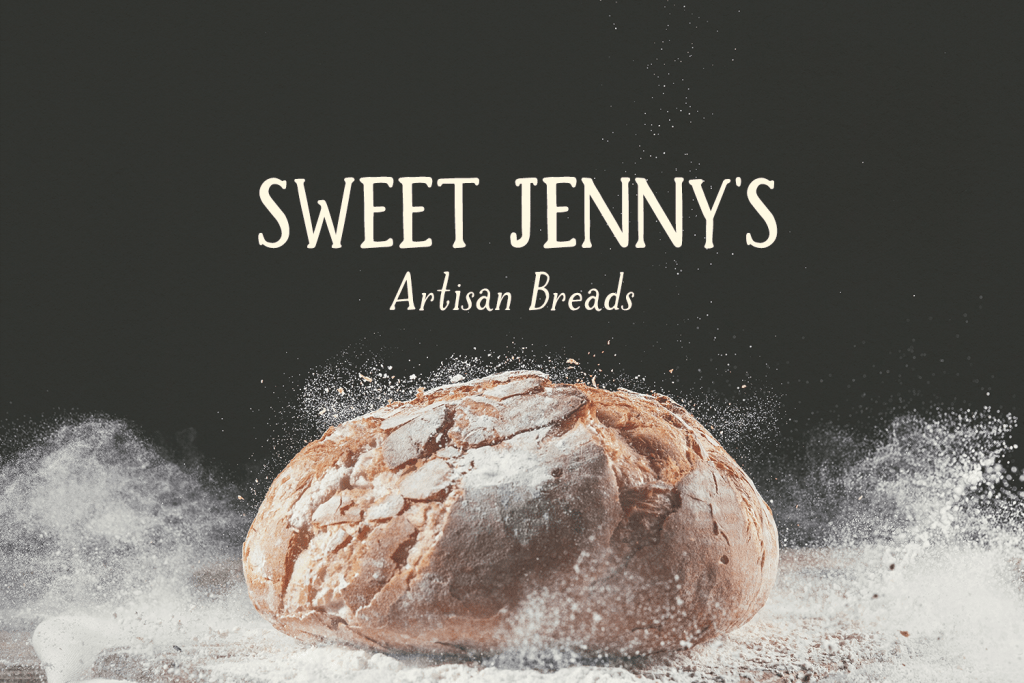
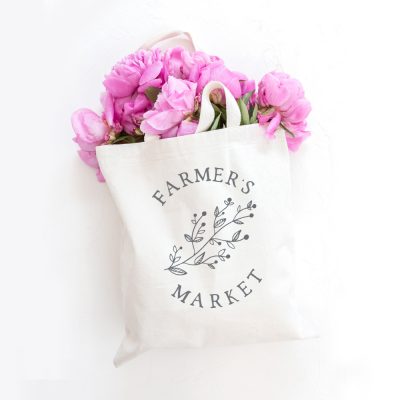
WHAT, exactly, are farmhouse founts & why should you care? They’re a rustic sort of typeface that brings that farmhouse feel to your content & can be a great way to accent a clean design. Just look around Pinterest for a brief moment, and you’ll find that pretty much anything related to the style is popular, and here to stay – farmhouse fonts are a great way to add a touch of this popular aesthetic to your content, be it web or print. Speaking personally, beautifully designed home decor that blends rusticity, femininity, and clean design grabs my attention. Flip on the television, and you’ll see Joanna Gaines in all her elegantly rustic glory! Head over to Etsy and search – you’re sure to find rustic decor ideas for your next project along with a variety of farmhouse fonts from various designers. Head to your local home goods store, and you’re going to find farmhouse signs, some cute kitchen decor, and collection after collection of perfectly curated items that make your spaces more inviting, more warm, and more cozy. I’m positive that you can pull up a blog post or two (thousand!) and find some killer ideas there, too!

Design inspiration is everywhere, what’s not to love? Now if only someone would will me a free farmhouse … le sigh.

Getting that rustic look that everyone loves isn’t difficult – all it takes is a little design work, and the perfect combination of fonts for the crafty gal! There are a variety of free farmhouse fonts available but if your design needs to stand out more, I don’t recommend using these or risk getting lost in the crowd. A free font is fine for routine use but if it’s something that really matters then it’s worth dressing it up a bit more. The best part is that you don’t have to spend an arm & a leg to create your own farmhouse signs, Pinterest pin, wedding invitations, or any other thing else you can dream up! You can literally make your Pinterest boards a reality with perfect pin after perfect pin. All you need are a few fonts, a little design inspiration, and you’re set!

It doesn’t need to be a pin, sign, or invitation, either – if you want to dress up your blog’s next post, or doll up your email signature block these rustic fonts are a great way to do just that!

If you’re on the hunt for the perfect place to purchase rustic, farmhouse fonts, I’ve got you covered – head over to my shop to see. Did I mention that all of my fonts include personal use AND commercial use?

Script Fonts Using the Farmhouse Style

One of the best script fonts to use is Farmhouse Country. This particular font duo — yes, it includes a script font, and a perfectly paired handlettered sans font — features a lovely rustic texture. The script font is slightly more bouncy, giving it a lovely feminine feel. I love seeing this font in logo designs! It’s also perfect for signs, a holiday card design, gift tags, and other projects. These two fonts are an immediate go-to whenever someone asks me for a recommendation for rustic, but modern, fonts.

Another script font that ranks among my favorites is Salt & Sea. This script is a handlettered calligraphy font, and comes with a little something extra – beautiful swashes! I’ve seen it used in logo designs, printables, on a pin here & there, social media graphics, & more. It’s super easy to access the swashes in design programs like Adobe Photoshop CC or Illustrator CC! I have more information on that here!

My Favorite Farmhouse Font

My all-time favorite farmhouse font is my very first release, Spring Market. Spring Market is a more rustic serif, and is my most popular font to date! My inspiration for Spring Market came from spending a bit of time in the Southern US — all things rustic & farmhouse in the south are extremely popular. Driving down the road, I couldn’t help but think about Joanna Gaines and her impeccable style. When lettering this font, I wanted the font to exude more warmth, simplicity, the feeling of home, and familiarity.

Printables are by far the most popular design items that I see Spring Market used for, but I also find some extremely talented graphic designers that use Spring Market more for logos & branding. The difference this typeface makes in a project is truly awesome!

I love this example of a sign you can make with Spring Market, as well!

I also love to use Spring Market in logos!

Just in case you didn’t know, Spring Market has a sister! Summer Market is the sans version – these fonts are perfectly paired together in my Market Duo.

Farmhouse Font Bundles

While I do offer all of these fonts as individual purchases, I have two bundles that have been perfectly curated to give you exactly the results you’re looking for! You can find more information on the bundles by clicking the images below, but here are a few tidbits about each collection!

  • These bundles include .otf, .ttf, and webfont files.
  • Purchase includes a personal and commercial use license.
  • There is no limit to the number of projects that you can use these for! Feel free to create as many items as you like, sell on your website, sell on Etsy, etc. Use for your own logo or brand, your website or blog, create a farmhouse sign of your own, the possibilities are endless.
  • You’ll be getting more bang for your buck by purchasing in a bundle! Each collection is valued at more than $70, but you pay only $18 per bundle!
  • All fonts included are handlettered with so much love and care!

Got questions? I’m available to answer them! Please feel free to email me, or use my contact form if you want to drop me a line – I’m happy to provide any additional information that you may need. I’d also be happy to help you select the fonts that would be the best fits for use in your projects!

Be sure to double check your email address & other pertinent information, though. It’d bum me out to not be able to reach back out to you!

Farmhouse Fonts Read More »

How I Learned Font Making

how i learned font making

I was fortunate enough to stumble upon a font making course called Learn Font Making, taught by Teela from Every-Tuesday.  You can find her course by clicking HERE.  The information and support that Teela has provided has been invaluable, and I cannot recommend her course enough.  Without a doubt, I would certainly not be able to do the things I’m currently doing without her help!

Teela also offers other courses that may be of interest to you if hand-lettering is something you wish to learn!

Fantastic Flourishes

Bounce Lettering

How I Learned Font Making Read More »

Can You Make Money from Fonts?

make money selling fonts

Can You Make Money from Fonts?

Yes.  Yes, you can make money from fonts. 
 
If you’re reading this, you might already be a font designer, or considering embarking on that journey.  I do get asked from time to time (mostly by lettering artists) if learning font design is worth it, or if you can make money from fonts.  The answer is yes — if you work at it.  (Isn’t it like that with anything, though?)  Over the last year, I’ve kept a pretty close eye on my earnings from font design & hand-lettered SVGs, and I’ve also kept notes on how I’ve done it, what I didn’t do, and what my thoughts and experiences were. 

Originally, this was so that I could go back and review it later to make changes, but I’ve realized that this information + my experiences might be helpful to others that are starting out. To be fair, I’ve only done font design for three years, so in many ways I’m still “starting out” in my journey. I feel like it’s been 0-60 in a lot of ways, though!

Font Design – Year in Review

During 2019, there were 27 new releases! I originally thought it might be cute to have a character count, but 27 font releases is a lot to go back and tally up the number of characters for!  We’ll just leave it at 27 — approximately one release every two weeks — some of which included multiple fonts.  (And also a special release because I had a crazy idea with the Mardi Gras font that I was DYING to see in action just in time for the celebration — mission accomplished!) 

Not too shabby.  This just shows me that it’s amazing what a bit of planning and perseverance will do! 

I set my goal for 2019 as $50,000 in earnings.  The final tally? 

Drum roll, please … !!

As of 29 December, I’m sitting at just over $55,000.

Give or take a few hundred – I’m not going to get that crazy-specific.  This doesn’t take into account the cost of doing business, promoted listings or advertising (on Etsy, Facebook, etc.), and any business expenses I’ve incurred along the way, like new software, new tools, and such.  Just a number tied to the sales that came in.

Can I just take a moment to say that it’s incredibly WILD that I’m making money by literally making letters????  I cannot say enough good things about Teela’s Learn Font Making course.  If you’re here reading, and wondering if it’s worth it … INVEST IN YOURSELF.  April 2020 will mark 3 years of font making & lettering – it’s mind boggling to me that this thing I love to do has given me a livable income.

Hand-lettered SVGs

Full disclosure: I included my SVG earnings in the above number, as well, since I do sell hand-lettered SVGs in a few of the places that I sell my fonts.  In the end, basically writing and designing letters earned me the above amount.  I would have never been able to refine my SVG files without constantly and consistently lettering for fonts, and I would have never been able to produce some of the fonts I did without lettering for SVGs.  Even though the end product is not the same, the process is very much related – namely, the lettering, and it’s also helped me to refine my cleaning process on fonts!

I want to make mention of this, because as a font designer, making hand-lettered SVGs is something that has bolstered my font income.  It’s given me a bit of an outlet, as well, when I want to create something, but don’t want to spend the same amount of time as creating a new font.  I think that hand-lettered SVGs are a great way for font designers to dabble in something a bit smaller, and also get a good read on what their customers might be looking for as far as style goes. 

As an example, I had quite a few folks interested in my SVG files that also wanted to know the best font(s) to match them to make small additions, like a person’s name.  Since Dear Journal was designed based on my overall hand-lettering style, I’ve been able to recommend it as a great fit for my hand-lettered files.  And guess what?  People are buying it.


Fonts I Released in 2019

Take a look at these lovelies!

(They’re all clickable, by the way!  Visit each individual font to check it out a bit more closely!)

How I did it

I planned ahead.

In late 2018, I began lettering, programming, and branding fonts to plan for their 2019 release.  It meant that I spent 4-5 months *not* releasing anything, but I felt that the consistency of releases in 2019 would outweigh the lack of new fonts being pushed out toward the end of 2018.  During those 4-5 months, I wound up with enough to get me through July 2019.  So, in the beginning part of 2019, I used that time to letter, clean, program, and brand fonts for August through December.  By the end of June, I’d rounded out the rest of the year with fonts scheduled for every other week!  (I even have a few stowed for January 2020!)

So what did I do with the rest of my year, if I had 2019 scheduled out for font releases by the end of June?  Well, I planned for 2020, of course.

Between May and July, I began lettering alphabets every single day.  I set a goal to letter at least 100 alphabets in various styles.  I stowed them for review, cleaning, + programming for the end of 2019 and beginning of 2020, in order to keep up with the one font released every two weeks.  I don’t have a concrete goal to release a new font every two weeks for 2020, but I do know that consistent releases helped with ensuring a steady flow of traffic and interest.

I’ve also spent a TON of time bolstering my SVG collection, and adding them to my website.  Whenever my Etsy sales started taking off, I realized adding these cuties to my website might be a good idea!

Sales

I ran weekly sales on my own fonts. My website itself has never seen a ton of traffic, but every little bit helps.  In this case, it didn’t really help.  Ya win some, ya lose some.  Here’s hoping 2020 will be an improvement!

I said yes.  A lot.

What did I say yes to? Deals and & more sales.

I ran weekly sales on my own fonts through my website (like I mentioned above), and occasional sales on Creative Market.  In addition, I pre-set about one week every month to go on sale on my Etsy shop.  I dabbled in a few coupon-based sales (ineffective) to compare, and decided that I’ll stick with an overall percentage markdown here & there (10-15%).  I don’t think it drove more or additional sales overall, but I do think that people will take note of the fact that something of stellar quality was marked down, and they’ll probably want more.

A little side note about Etsy + SVGs: A while back (in October 2018), I made the decision to remove SVG files from my Etsy shop to focus on fonts exclusively. What I found was that their removal caused a significant drop in visits, which meant a significant loss of income on my Etsy shop. No, seriously, look.  It completely TANKED.  That massive dip is impressive, but what’s even more interesting to me is that bringing back the SVGs meant that it recovered almost immediately. Sooo, I guess I said “YES!” to continuing SVGs, as well.

What’s funny is that I didn’t think that they made that big of a difference, but they most definitely did! When I brought them back — and I also made some new additions. Or, like hundreds of additions. Throughout 2019, I added SVGs consistently. 

Even though SVGs for crafters aren’t really fonts, I definitely count them in my income because they’re all hand-lettered the same way my fonts are.  If you skipped over the bit further up top, I mentioned that the process for hand-lettered SVGs has helped me to refine my process for fonts & vice versa.  I recommend this for anyone looking to bolster their font income + keep practicing lettering.  As an additional little tidbit of information – a lot of the same people that purchase SVGs also purchase fonts.  A lot of my SVG customers come back for fonts; a lot of my font customers purchase SVGs.

Anyway, back to saying yes a lot!  The greatest single deal I ran was with SoFontsy.  On top of participating in their regular bundle offerings, they ran my Entire Shop Font Bundle for a limited two days.  This brought in a whopping $2000+ for me, and really helped to solidify my April numbers.  In fact, I met my monthly goal before we even hit the half-way point in the month!

What did I say no to?

I won’t name names here – I know + understand everyone needs to make their own decisions about what may benefit them.  There was one group that approached me twice to run deals, but their percentages did not stack up with my expectations. Their original offer was 30% to the designer. I let them know I needed more than that, and they said the best they could do was 40%.

Initially, I agreed to this, and asked for more details on the contract. They provided the contract, but never specified an end date on this deal. It didn’t give me a very good gut feeling to have to ask questions regarding end dates, what I was obligated to, etc. When questioned about it, they let me know that deals run from 2 months to 2 years (!!!!), depending on what the designer wants. They also required that I not sell the same deal at a lower price while it was running with them.

While I understand the basis of this, I don’t quite like the open-ended deal and being obligated to maintain pricing because of *them.* In addition to this, they boasted 87k+ subscribers through e-mail, affiliates, and social media. When I did some research on this, I was surprised to see that they had a large number of Facebook followers, but very little interaction on their pages. The interaction that *was* there didn’t seem very positive — it seemed like there were quite a few people that made purchases, but were not very happy.

So, this deal got a no from me. 

There was a second group that sorta seemed the same.  I approached them about running a deal, but communication was very spotty, and their contract terms were less than clear — I had to ask for specific information that you’d think they’d be up front about.  Whenever I realized it reminded me a bit of the aforementioned group, I decided to nix that idea, as well.  While I remain open to deals like this, I think I’ll be sticking more to the tried & true.

For what it’s worth, I’ve run deals with Font Bundles, Hungry JPEG, Pixel Surplus, Mighty Deals, and So Fontsy.  I actively sell on Font Bundles and So Fontsy.  I used to sell on Hungry JPEG (find out why I don’t anymore).  Pixel Surplus and Mighty Deals are … well, deal-based websites.  I don’t think a seller can have a shop there.

I submitted fonts for certification on Creative Market.

I posted about this in early May 2019!  I submitted a few fonts for certification on Creative Market in March 2019, and received certification in May.  Once those fonts passed certification, I submitted a few of my best sellers — Spring Market, Barcelona Nights, and Farmhouse Country. 

Creative Market originally took 40% of Certified products as their commission, but this changed in December 2019 – they now take 40% of all product sales, so there is no difference between the commission rate for Certified and products without the Certification badge.  So, I submitted more because…why not?  I quite like the idea of someone vouching for the quality of my product.

Creative Market says that shop owners with Certified products get better visibility, and make more sales.  I didn’t notice a big change in my visibility, or in my sales.  I will say, though, that I believe it adds a bit more professionalism to my shop.  The blue Certified badge is essentially something that says Creative Market vouches for the product.  If some products are Certified by any given maker, it’s likely a safe assumption that the rest of their products are quality, as well.  I certainly make that leap, so I have to imagine that other buyers will, as well.  If that’s all that comes of the certification, I’m satisfied with that!

I asked, and I received.

For whatever reason, the thought never occurred to me that I could be sending coupon codes to upgrade single font purchases to the all-inclusive bundle that I offer, especially through Etsy.  I realized that if I didn’t ask them to upgrade, or provide them the opportunity to do so, I would likely never see these folks again.  Same goes for SVG purchasers!

Wouldn’t you know, there were a fair amount of them that took me up on the offer.  The All-Inclusive Bundle is a pretty stellar deal, with savings of over 95% and access to all future fonts.  Why wouldn’t they want to upgrade?! 

Biggest Earners

Etsy & Creative Market are still my biggest earners as far as font sales go.  I had high hopes that 2019 would be the year that my website would take off and would start seeing consistent sales.  What I realized, though, prior to diving into more & more work on my website was that I should focus on what was working for me most…and that would be Etsy and Creative Market.
 
Etsy won out, for sure, especially given the many changes Creative Market started making this past year.  My sales were great at the beginning of the year, but as they started making changes to licensing, auto-pricing, and other things, my sales dropped significantly.  As in, some months I was seeing between $1,000 and $1,700 in sales, but toward the end of the year, I had a hard time breaking $500 on Creative Market. 
 
There were other changes that took place, and it seems like many other shop owners are in the same boat with struggling sales.  Creative Market hosted a live chat with the CEO, and has been asking for feedback on the changes they’ve made – it seems like they’re content to push forward with it all, without really considering individual shop owners.  If they continue to state that it’s all in the name of improving experiences for buyers & shop owners, it must be ok right??  (Not that I feel a certain way about this!)
 
I did see a bit of an increase in sales on my website during 2019, but it wasn’t on the viral level of sales or even remotely close to “taking off.”  Just a small increase, which I’m totally happy about.
 
My top “single” sellers, overall, are still Spring Market, Farmhouse Country, and Magnolia Plantation. My All-Inclusive Font Bundle also makes up a large amount of sales.
 

Reflections on the Hustle

Overall, this $50k in 2019 goal was an interesting pursuit that I’m happy to have undertaken.  It’s shown me that something that I love is most definitely a viable source of income — a livable one, at that.  (Eh, depending on where you are, I suppose!  SoCal, maybe not so much, lol!)

Font design is a hobby + a passion, but what I wanted to make sure of was that it didn’t fall into the “daily grind” category. I’m not going pretend that I’m not here to make money from it, because I am, but in order to still love what I’m doing, there were definitely stretches of time in which I didn’t do anything font related. Why? Simply because I didn’t feel like it, and I didn’t want to grow to dread something that I actually *do* like.

Plans for 2020

Slow down.  A lot.  (Who am I kidding?  I intend to slow down, but will it happen?  No.)

I spent 2019 batch-preparing what I was working on.  In 2020, I can’t say that I won’t do the same, but at the outset, I want to go back to seeing the process from start to finish.  I’ve got some totally programmed fonts stowed away that need a name + a brand to go with it. 

2020 should be less about the volume of fonts produced, and more about the quality of fonts produced.  I’ve found that I’m more likely to buy a font if I know it has alternates + ligatures, so the vast majority of alphabets I’ve lettered recently do include at least one full set of alternates for lowercase letters. 

I’m also excited to expand my SVG offerings!

Personal Goals

For what it’s worth, I did meet a few of my big personal goals in 2019, which I’m quite proud of!

For starters, I rocked the macarons multiple times!  Truth be told, the first few batches were kind of ugly, but they tasted pretty good.  I managed to get a few good batches a bit later after practicing.  Now that I feel like I have a good handle on it … well, I haven’t made a batch since, which is probably a good thing!  I didn’t tackle the souffle this year, but I think I’ll give that a try in 2020.

Second, I got to visit a few places I’d never been before!  We took a trip to Germany and Austria in November.  It was perfectly timed – before the snow happened so it wasn’t too cold, but late enough that all of the Christmas Markets had started.  I’m certain that Christmas will never be the same for me again, because it was totally magical in the markets.  Or, maybe that’s the gluhwein talking.  The markets (and we went to quite a few) were hands down my favorite part of the trip!

Third — and probably biggest for me — is that I took total control of my health, lost weight, and now have those old jeans back in the rotation.  It’s made such a difference in every aspect.  50 lbs gone for me!

In 2020, I’m going to keep the “visit a new place” goal in place (Ireland, fingers crossed?!), and I plan to maintain all of the hard work I’ve put in to lose 50+ pounds. 

Happy New Year, y’all!  Wishing you the best 2020!

Can You Make Money from Fonts? Read More »

Accessing OpenType Features

How to Access OpenType Features

(aka, the goodies in your font!)

opentype feature fonts

I love a good feature-rich font, don’t you?

In general, once you’ve downloaded + installed your font on your machine, it should show up in any program that accesses your machine’s installed fonts, like Word, Powerpoint, or even your vinyl cutting programs. Not all of those programs are cut out for accessing OpenType Features, though.

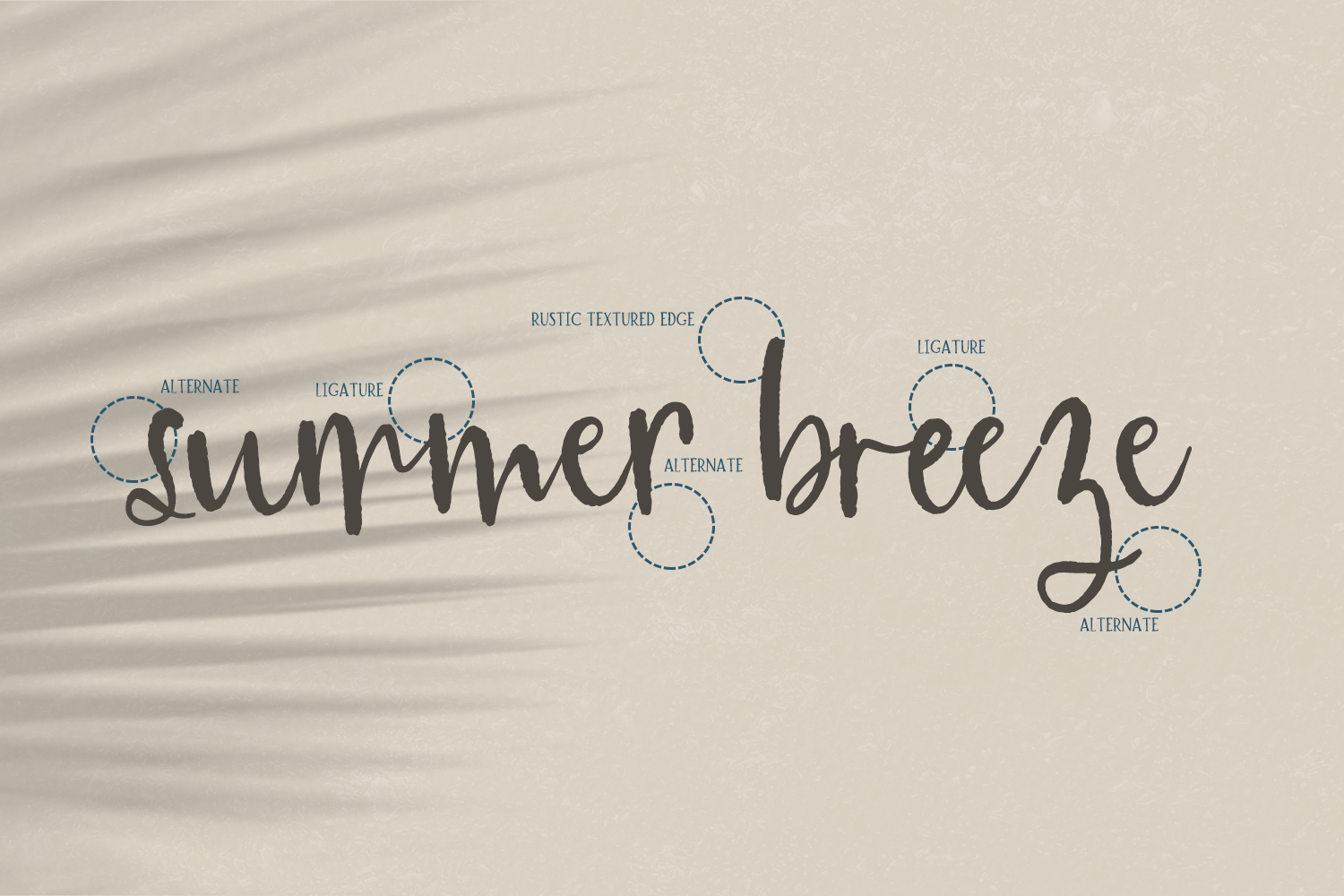
What are OpenType features, you ask? They’re the extra goodies — swashes + flourishes, ligatures, alternate characters, and such.  Not all fonts are created equal — some fonts are more minimal in their features, and some might not have any extra goodies at all.  If you try to find goodies, and you don’t find any treasure, don’t sweat it.  It probably means that the font didn’t come with any extra bells & whistles.

Some older versions of programs you might use don’t make it easy to access OpenType features (there’s a work-around below!) but newer versions are making it a bit more easy. You’ll need to do a little bit of reading to figure it out, but once you have that info, you’ll be unstoppable!

If you’d like to watch a quick video demonstration, you can check out this YouTube video where I show you how to access OpenType features. Please be aware, this video is geared toward Mac users, but a similar process can be used for PC users.

The Easy Button

There are a few different ways to access those OpenType features.  This is the first way.  Well, first-and-a-half, and both are the easiest, least time-consuming methods, but they require special software that is OpenType friendly.

The first way is the easiest way, using Adobe CC products, like Adobe Illustrator or Adobe Photoshop. Please note that older versions of the program may not have these capabilities like the most recent, up-to-date versions. In Illustrator or Photoshop, you can easily bring up the Glyphs panel by going to Window > Glyphs. The font’s full character set will display, and you can scroll/select the character you need!  A simple double-click with your Type Tool selected will insert the character into the box.

A second, slightly easier way — as long as the designer has programmed it this way — is to use your Type Tool, type out what you need it to say, and then use your cursor to highlight the individual characters. The options for the character should pop up in a box, making it easy to select. See?! One and a half ways 🙂  Check out the highlight + select option below!

The LESS Easy Button

(but still not too difficult)
 
Note: This is the method you will need to use with Cricut Design Space, Silhouette Studio (Basic), Canva, Procreate, Word, Pages, & a few other software types. These programs are NOT OpenType friendly, so you will have to go through a few extra steps to use the full range of characters.

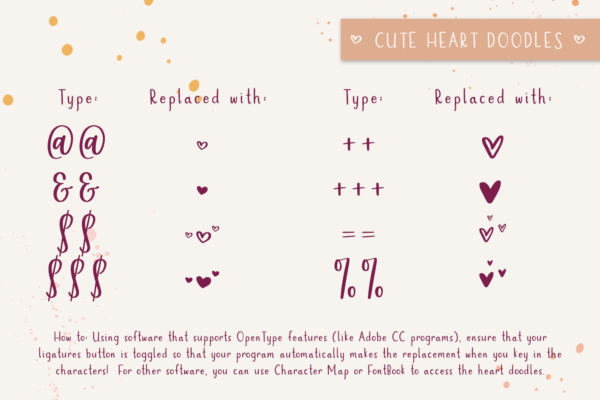
The second way is a bit more tedious, but provides a work-around for anyone needing to access those special characters.  I program my fonts to be PUA-encoded, which means that all of the extra characters will show up in the Private Use Area (PUA) of a character map, annotated with a unicode of “EXXX” where the Xs are numbers assigned to any individual glyph. 

Mac users can use FontBook for this, and PC users can use the standard Character Map that comes on your Windows machine.  You’ll simply need to scroll through the characters, locate the one you’d like to use, and then copy/paste it into the program you’re working in! 

In FontBook, you’ll need to ensure you have Repertoire View turned on — you can find that by clicking the button that looks like four little boxes at the top of your screen.

You can double click on the font you wish to view, and scroll to see all glyphs available, make your selection to copy the glyph, and then pop back over to the program you’re working in to paste it!

In Character Map, with the appropriate font selected, make sure you click Advanced View.  Make sure the spot that says Group by has Unicode Subrange selected.  Scroll all the way to the bottom of the Group by window.  You can then group by Private Use Characters.

All of those special goodies should show up for you right there — then, you can copy/paste to your heart’s content!

Pro Tip: If you’re trying to use OpenType features on your iPad or iPhone, you can download the paid app Unicode Character Viewer. The app is $1.99 (as of December 2025), and will allow you to look up fonts installed on your device, copy the glyph you’d like to use, and then paste the glyph into the program of your choice, like Design Space or Procreate.

Bonus Suggestion

As I mentioned in my post about how to install fonts, OpenType fonts are sorta the new kids on the block.  Since these feature-rich fonts are on the rise, other programs that access your computer’s installed fonts need to keep up.  Some newer versions of software, like Word or Pages, do have options to make finding + using those awesome goodies a bit easier.  If the software you’re using is relatively new, I would suggest Googling that software + version, along with accessing OpenType features.  You might just find a set of instructions floating around there that makes it even easier than the hunt for the perfect alternate through FontBook or Character Map.

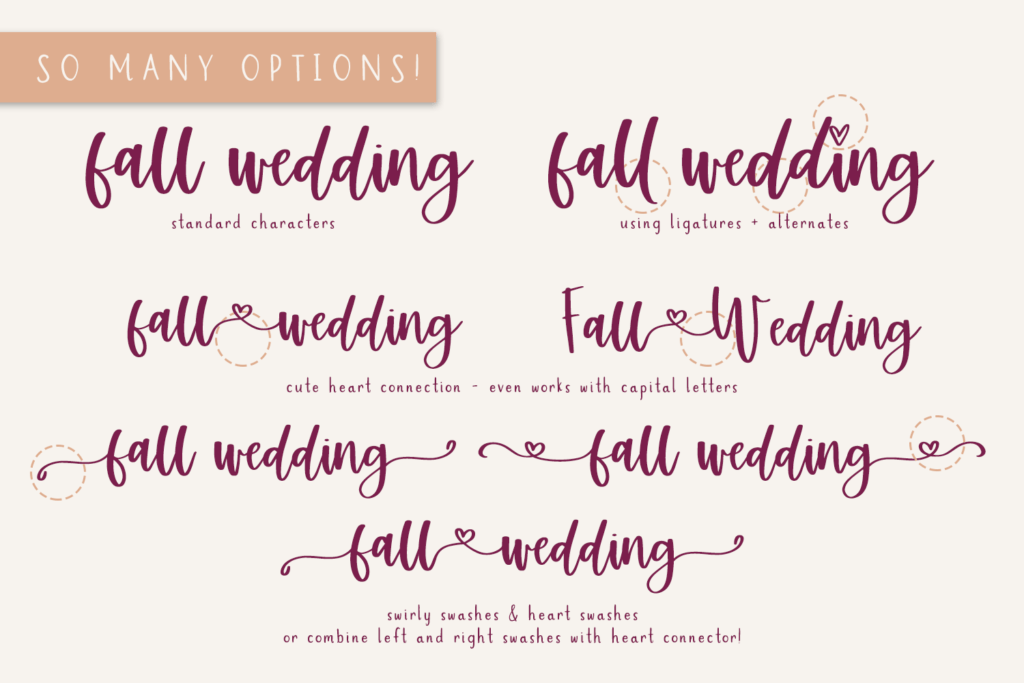
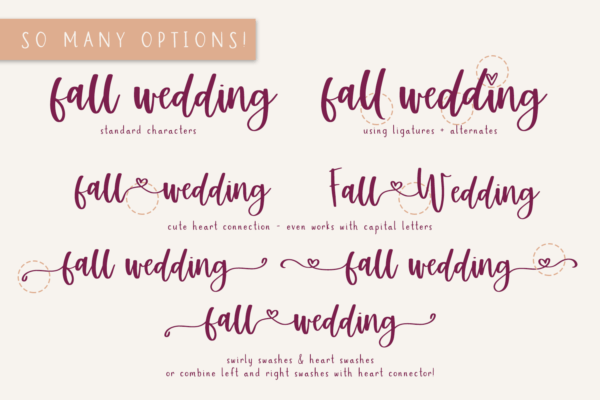
If you want to check out Resfeber Script, shown in this post, you can find that here, along with a ton of other commercial use fonts!

Accessing OpenType Features Read More »

Scroll to Top

Hi, I'm Beck!

Receive exclusive offers & freebies when you sign up for my mailing list!