1. If you purchased through my website, your download link will be included in the email I sent you! Click that link to download, and skip over to Step 3.
If you purchased from Etsy, make sure you are logged into your Etsy account via an Internet browser (Safari, Firefox, etc.), NOT the Etsy app.The Etsy app will NOT allow you to access your instant download.
2. Visit your profile, tap “Purchases and Reviews.” Locate your order, and download your purchase.
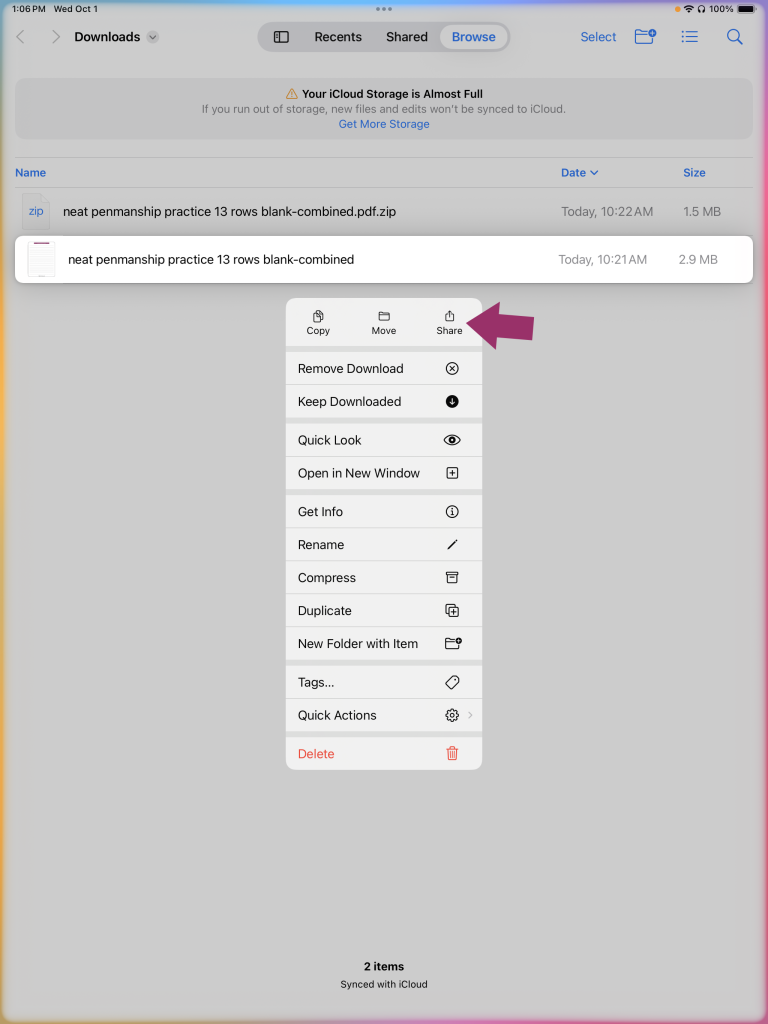
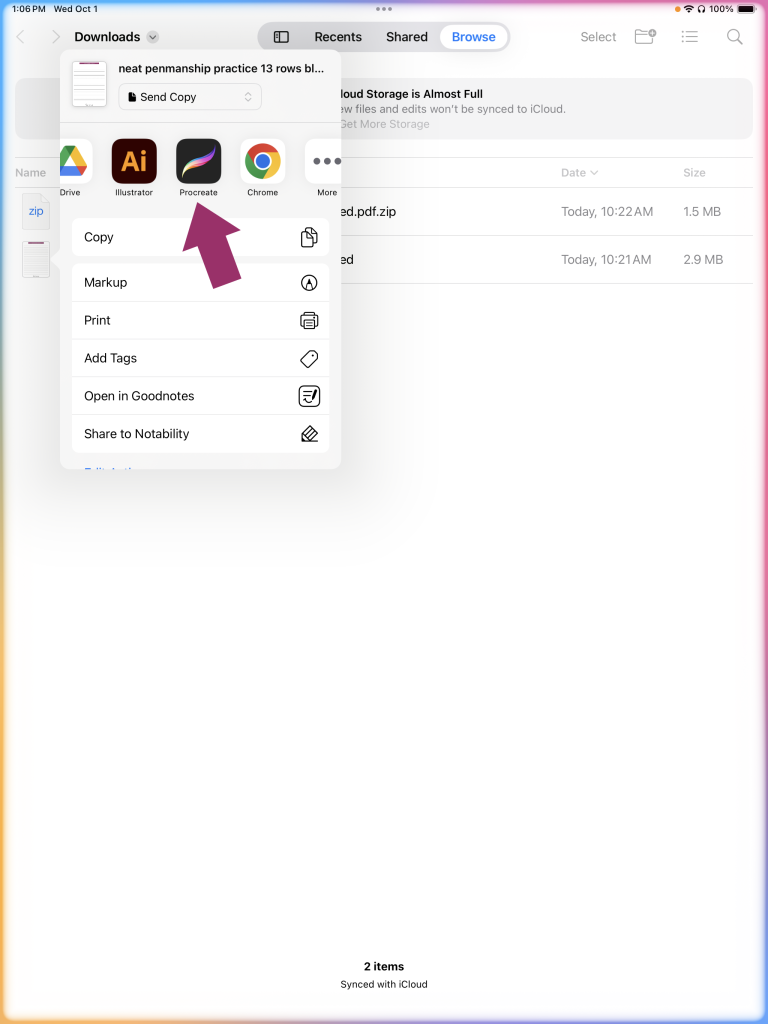
3. Locate your download (typically, the Files app unless you choose to save elsewhere), tap the folder to unzip. Long press on the .pdf file and select “Share.” Scroll through the apps shown and select Procreate.
4. Procreate will open automatically with the .pdf file. Each page of the .pdf will be shown in a new layer in Procreate. Select the layer you’d like to begin your practice on. Tap the plus sign (+) to create a new empty layer on top of your chosen layer, and begin lettering. You may use a brush of your choice, or the recommended brush included in your purchase.
Note for desktop or laptop download: You may also download the .zip on a desktop or laptop machine, and Airdrop the file to your iPad. Once Airdropped to your iPad, follow the same steps above to import to Procreate.